Inovatiqa / Reorder Guide

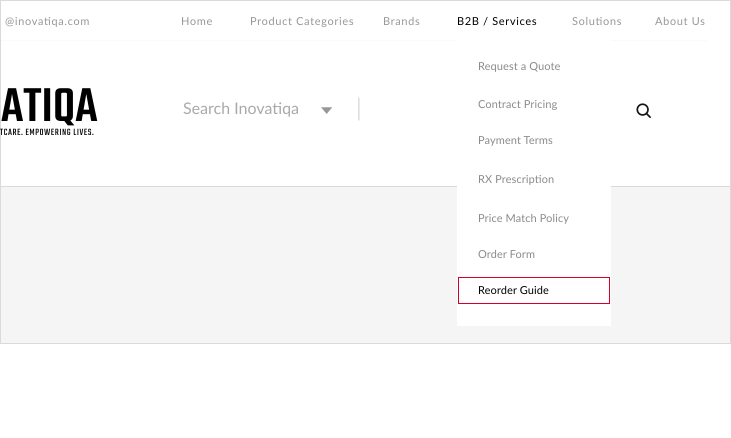
Reorder Guide


Using Reorder Guide

You can use reorder suggestions to order supplies.

When signed in to your Inovatiqa account, the Reorder Guide page will take you to the Inovatiqa Dashboard.
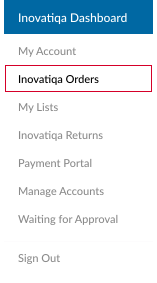
The reorder guide is similar to ordering from a list and will show the last date of purchase.
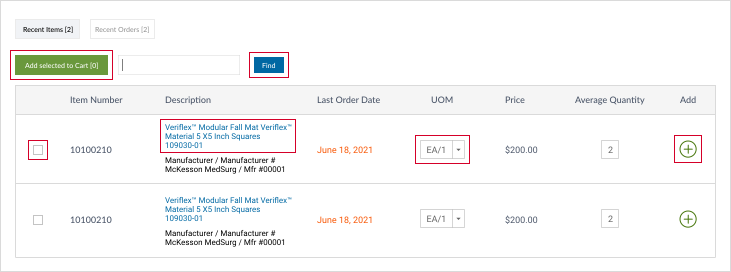
  • Change quantity and unit of measure (UOM).
  • Click the “Add selected to Cart” button to add item to cart.
  • Select multiple items by placing a check mark in box next to desired item.

Searching The Catalog

You may create an order by searching the catalog. To do so, please:

  • Type a search term in the “Search” box. You may search, using a brand name, Inovatiqa item number, descriptive term, manufacturer’s name or manufacturer’s number.
  • Click “Find.”
  • Learn more about an item by clicking on its description, which appears in blue text next to its picture.
  • Add an item to your cart by entering a quantity and clicking “Add to cart +” button.